Blog Articles 36–40

Surface Go First Impressions
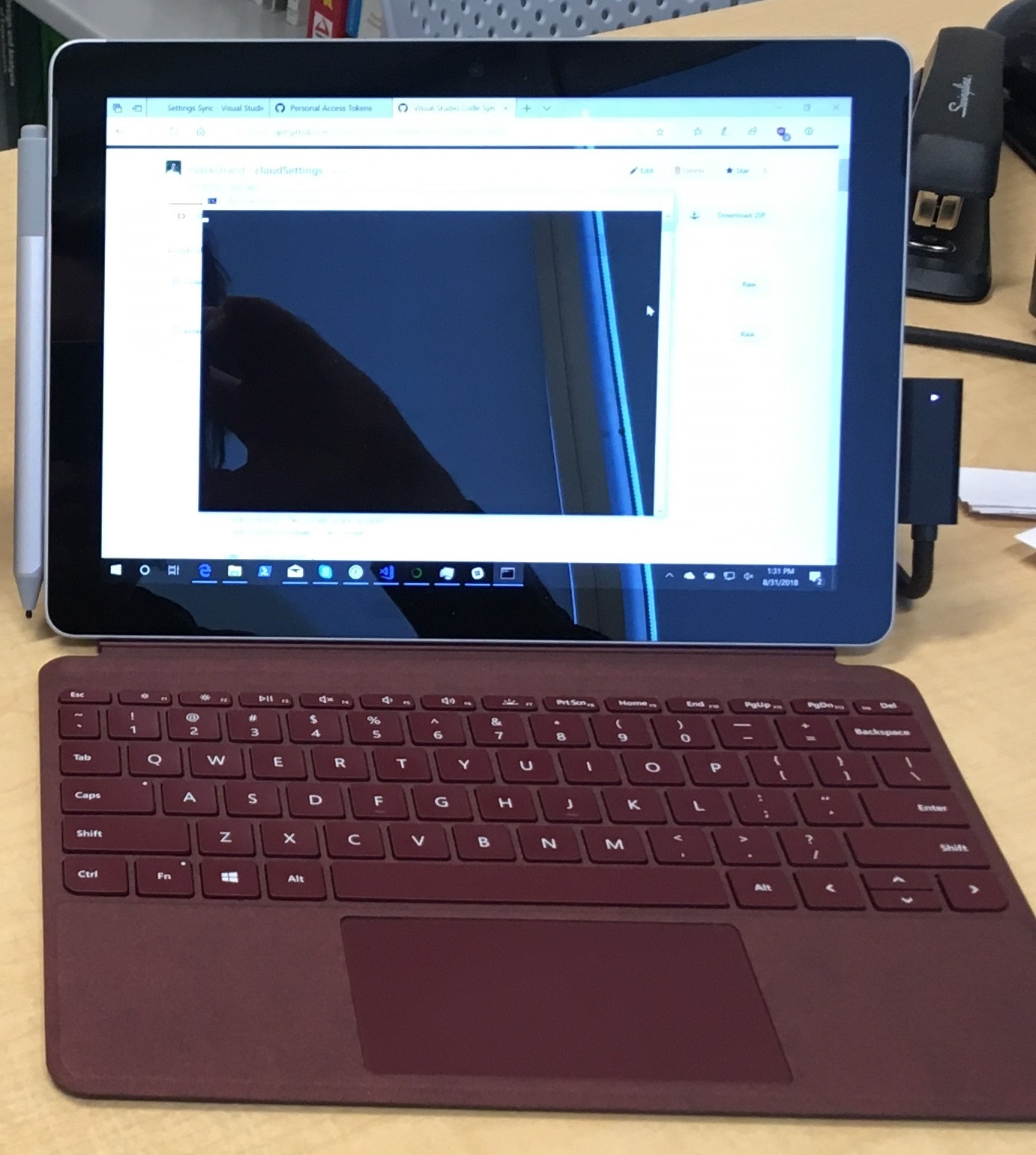
Surface Go with burgandy type cover

Microsoft has repeatedly been trying to make strides into an entry-level market for its Surface devices, and so far none of them have stuck. There was the Surface RT, which used an incompatible processor and couldn’t run normal Windows software. The Surface 3 used an Atom CPU and didn’t last long. And now they have the Surface Go, a 10” Surface sporting a Pentium processor and full Windows 10.

I have been using the Surface Pro for a few years now. I love them, but have also had some reliability issues: my work SP4 has been glitchy as long as I have had it (display freezes), and my personal device ceased to boot about a year and a half after I bought it. They are on the large side for a lot of tablet use cases — it’s hard to use it as a reading device — but it is fantastic for marking up PDFs and drawing, and I have made significant use of its drawing capabilities in class. The Windows Ink Workspace is very helpful, because I can take a screenshot and start drawing on it to mark up different parts of the query we just ran against the database.

Spending Startup

Coins on $100 bills
Photo by Dmitry Demidko on Unsplash

If you are starting a tenure-track research-oriented position at a US university, you should have a startup package to help you get started. When I began as a faculty member, I did not have a clear idea of how to use it effectively; 4 years in, here are some thoughts about good use of startup funds based on my experience and reflection, as well as things I’ve read and heard from others along the way.

This is written from the perspective of a computer science tenure-track position at a mid-tier research-oriented US university. Startup levels, existence, and structure vary between universities and disciplines, so keep that in mind.

Author Gender in Book Recommendations

I’m very pleased that we will be able to present a piece of research we have been working on for some time now at RecSys this year.

In my work on fair recommendation, one of the key questions I want to unravel is how recommender systems interact with issues of representation among content creators. As we work, as a society, to improve representation of historically underrepresented groups — women, racial minories, indigenous peoples, gender minorities, etc. — will recommender systems hinder those efforts? Will ‘get recommended to potential audiences’ be yet another roadblock in the path of authors from disadvantaged groups, or might the recommender aid in the process of exposing new creators to the audiences that will appreciate their work and make them thrive?

In this paper, we (myself, my students Mucun Tian and Imran Kazi, and my colleagues Hoda Mehrpouyan and Daniel Kluver) present our first results on this problem. This work, along with our work on recommender evaluation errors, formed the key preliminary results for my NSF CAREER proposal.

This paper has a few firsts for me. It’s my first fully-Bayesian paper, and is also the first time I have been able to provide complete code to reproduce the experiments and analysis with the manuscript submission.

Five Years

You don’t know when the sad will fall. You can sometimes see it coming; like , it has some predictability. Unlike the water, it does not afford much opportunity for control, and you never know quite what to expect. When you see it coming, you can brace for impact; with practice, put on the happy face and soldier on.

That’s the idea, anyway.

It hit like a tsunami a little after 7 pm. The date was August 30, 2017; the place a cafe on a side street in Como, Italy.

Nazi and Alt-Right Imagery in GIF Search

Online platforms take different approaches to moderating — or not — the content that can be published or discovered through their platforms. I discovered today that some of the GIF search engines are censoring certain search terms. So I decided to poke a little more and see what is happening.